2D to 3d
Convert 2D designs into 3D models
Convert 2D designs into 3D models
Transform your 2D designs and ideas into 3D models with Autodesk® software.

What is 2D to 3D software?
What is 2D to 3D software?
Transform your 2D ideas and designs into 3D models with Autodesk® software. Autodesk software not only enables you to digitally design, visualize, and simulate your most complex ideas, it also eases the transition from 2D to 3D design and engineering processes.
Transform your 2D ideas and designs into 3D models with Autodesk® software. Autodesk software not only enables you to digitally design, visualize, and simulate your most complex ideas, it also eases the transition from 2D to 3D design and engineering processes.
2D to 3D sketching
2D sketching
2D sketching
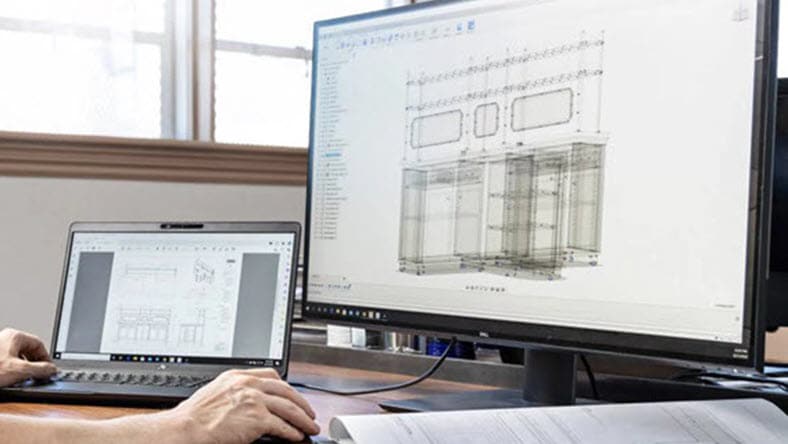
2D sketching is the creation of two-dimensional geometric lines and shapes in a CAD software program. It is a foundational step in the design process and allows designers and engineers to define shapes, dimensions, and the relationships of objects before creating a 3D model. 2D sketches are the basis for 3D design generation.
2D sketching is the creation of two-dimensional geometric lines and shapes in a CAD software program. It is a foundational step in the design process and allows designers and engineers to define shapes, dimensions, and the relationships of objects before creating a 3D model. 2D sketches are the basis for 3D design generation.
3D sketching
3D sketching
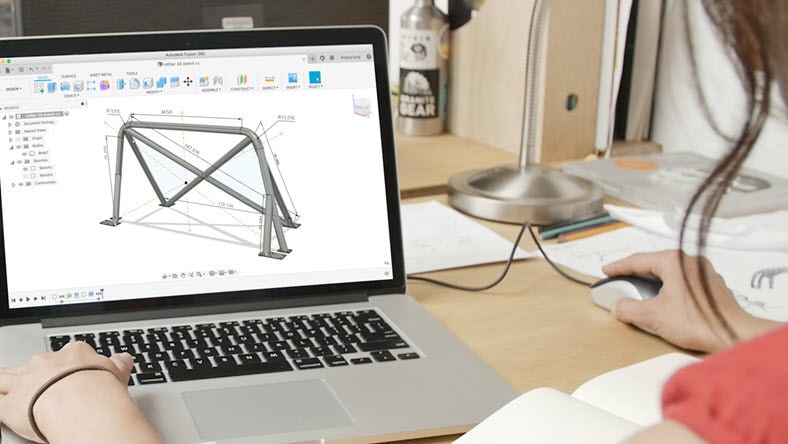
3D sketching is the creation of three-dimensional geometric shapes and curves within a CAD software environment. It allows designers and engineers to create more intricate designs and capture spatial relationships. It offers more versatility in capturing design and is used when designing complex parts, assemblies, or when creating organic shapes.
3D sketching is the creation of three-dimensional geometric shapes and curves within a CAD software environment. It allows designers and engineers to create more intricate designs and capture spatial relationships. It offers more versatility in capturing design and is used when designing complex parts, assemblies, or when creating organic shapes.
Construction geometry
Construction geometry
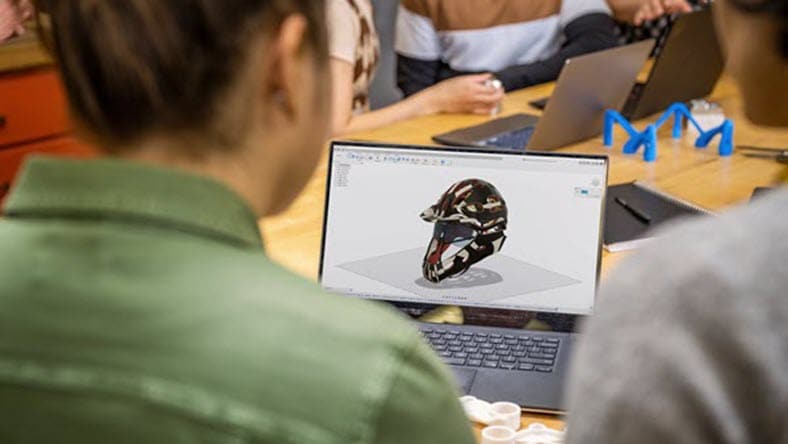
Construction geometry in CAD refers to a temporary aid in defining relationships, dimensions, alignments, and constraints during the design process. It helps aid in accuracy, control, and consistency throughout the design process. Once a design is complete, construction geometry is removed or hidden as it is not necessary for a product to be manufactured.
Construction geometry in CAD refers to a temporary aid in defining relationships, dimensions, alignments, and constraints during the design process. It helps aid in accuracy, control, and consistency throughout the design process. Once a design is complete, construction geometry is removed or hidden as it is not necessary for a product to be manufactured.
2D to 3D design & modeling tools
Surface design
Surface modeling allows designers to work with complex curves and patches to achieve the desired shape and refine the design before manufacturing.
Surface modeling allows designers to work with complex curves and patches to achieve the desired shape and refine the design before manufacturing.
Parametric design
Parametric design involves defining and maintaining relationships between various design elements. It uses parameters, relationships, and constraints to create and modify models in a flexible way.
Parametric design involves defining and maintaining relationships between various design elements. It uses parameters, relationships, and constraints to create and modify models in a flexible way.
Direct modeling & design
Direct modeling allows designers to directly manipulate and edit a model without predefined relationships or constraints. It's particularly useful for conceptual design, quick prototyping, and fast modifications.
Direct modeling allows designers to directly manipulate and edit a model without predefined relationships or constraints. It's particularly useful for conceptual design, quick prototyping, and fast modifications.
Mesh design & modeling
Mesh modeling is a technique used in 3D modeling where the surface of an object is represented by a network of vertices, edges, and faces, forming a polygonal structure. It offers a flexible approach to creative design, however, it requires the management of polygon count, topology, and surface smoothness to achieve desired outcomes.
Mesh modeling is a technique used in 3D modeling where the surface of an object is represented by a network of vertices, edges, and faces, forming a polygonal structure. It offers a flexible approach to creative design, however, it requires the management of polygon count, topology, and surface smoothness to achieve desired outcomes.
Freeform design & modeling
Freeform modeling, also known as organic modeling is used to create smooth and complex surfaces resembling natural or organic forms. It allows designers to create highly detailed and intricate 3d models with a high level of design freedom.
Freeform modeling, also known as organic modeling is used to create smooth and complex surfaces resembling natural or organic forms. It allows designers to create highly detailed and intricate 3d models with a high level of design freedom.
Assembly design & modeling
Assembly design also known as mechanical assembly is the process of organizing multiple components or parts to construct a complete product. Users define the relationships, connections, and interactions between individual components to make sure they fit together properly and function as expected.
Assembly design also known as mechanical assembly is the process of organizing multiple components or parts to construct a complete product. Users define the relationships, connections, and interactions between individual components to make sure they fit together properly and function as expected.
Rendering 3D models
Advanced rendering
Advanced rendering
Compelling renderings are important for successful storytelling of designs. Advanced rendering tools in Fusion 360 including materials, lighting, and environment effects help you achieve impressive photorealistic renders.
Compelling renderings are important for successful storytelling of designs. Advanced rendering tools in Fusion 360 including materials, lighting, and environment effects help you achieve impressive photorealistic renders.
Cloud rendering
Cloud rendering
Autodesk rendering tools help you render photorealistic and high-resolution images in less time by freeing up your desktop resources so you can work more efficiently.
Autodesk rendering tools help you render photorealistic and high-resolution images in less time by freeing up your desktop resources so you can work more efficiently.

Free AutoCAD eBook: Gain a competitive advantage
Free AutoCAD eBook: Gain a competitive advantage
Discover a step-by-step approach to successfully add 3D modeling to your 2D drafting AutoCAD workflow.
Discover a step-by-step approach to successfully add 3D modeling to your 2D drafting AutoCAD workflow.

See how AutoCAD and Inventor work better together
See how AutoCAD and Inventor work better together
Design faster and get more from your models by combining the capabilities of AutoCAD and Inventor. Get the flexibility of AutoCAD, including the ability to collaborate with other 2D users. And with Inventor, save time on manual tasks and apply 3D models for downstream use cases.
Design faster and get more from your models by combining the capabilities of AutoCAD and Inventor. Get the flexibility of AutoCAD, including the ability to collaborate with other 2D users. And with Inventor, save time on manual tasks and apply 3D models for downstream use cases.
Helpful videos on converting 2D to 3D

Convert 2D into 3D objects in AutoCAD
Convert 2D into 3D objects in AutoCAD
Learn how to take 2D drawing designs ideas and turn them into digital 3D objects and prototypes transitioning from design to engineering.
Learn how to take 2D drawing designs ideas and turn them into digital 3D objects and prototypes transitioning from design to engineering.

Use Fusion 360 for 3D modeling
Use Fusion 360 for 3D modeling
Take your first step towards 3D modeling by learning how to turn your 2D sketch into a 3D design in Fusion 360.
Take your first step towards 3D modeling by learning how to turn your 2D sketch into a 3D design in Fusion 360.

Create models from AutoCAD geometry
Create models from AutoCAD geometry
You don't have to start from scratch. Import existing DWGTM files into Inventor to create 3D models in minutes.
You don't have to start from scratch. Import existing DWGTM files into Inventor to create 3D models in minutes.
See how customers are using Autodesk’s 2D to 3D software

AutoCAD helps set the stage for Canadian theatre
AutoCAD helps set the stage for Canadian theatre
By using AutoCAD and experimenting with other technologies such as 3D printing, Andrew Mestern of Stratford Festival delivers incredible set designs.
By using AutoCAD and experimenting with other technologies such as 3D printing, Andrew Mestern of Stratford Festival delivers incredible set designs.

Spanish architect re-creates lost Frank Lloyd Wright buildings
Spanish architect re-creates lost Frank Lloyd Wright buildings
Spanish architect explores architectural history by creating AutoCAD renderings that bring demolished Frank Lloyd Wright buildings back to life.
Spanish architect explores architectural history by creating AutoCAD renderings that bring demolished Frank Lloyd Wright buildings back to life.
Fusion 360 pushes the boundaries of 3D modeling
Fusion 360 pushes the boundaries of 3D modeling
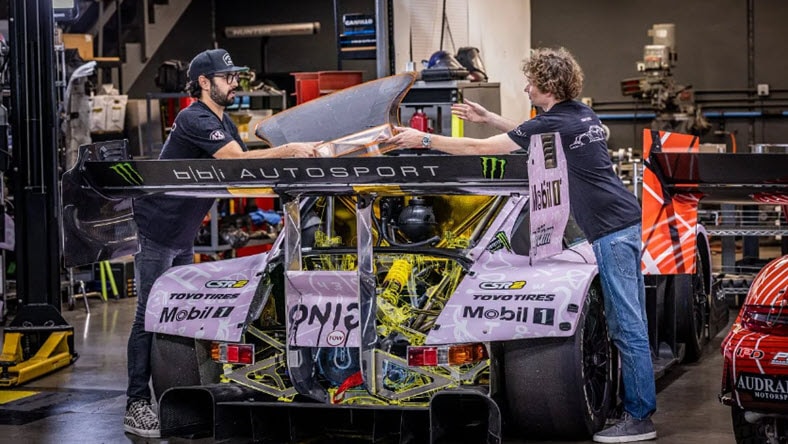
BBi Autosport explains how Fusion 360 enabled them to design the Hoonipigasus, “a car that can do nearly anything."
BBi Autosport explains how Fusion 360 enabled them to design the Hoonipigasus, “a car that can do nearly anything."

3D tools enable innovative designs
3D tools enable innovative designs
Matsunaga creates complex custom wheelchairs with Inventor. See how templates helped them efficiently meet market needs with impactful designs.
Matsunaga creates complex custom wheelchairs with Inventor. See how templates helped them efficiently meet market needs with impactful designs.
2D to 3D resources
Learn how users use Autodesk software to move their designs from 2D to 3D, transforming ideas from concepts to realistic simulations to precise plans for production.
Learn how users use Autodesk software to move their designs from 2D to 3D, transforming ideas from concepts to realistic simulations to precise plans for production.
2D to 3D: Basic building
Learn how to convert a 2D layout to 3D into a 3D model using AutoCAD.
Learn how to convert a 2D layout to 3D into a 3D model using AutoCAD.
Convert images from 2D to 3D
Learn how to build a model from scratch, based off a 2D sketch drawn in real life.
Learn how to build a model from scratch, based off a 2D sketch drawn in real life.
Working with AutoCAD and Inventor
Learn the benefits of connecting 2D and 3D CAD workflows in AutoCAD and Inventor.
Learn the benefits of connecting 2D and 3D CAD workflows in AutoCAD and Inventor.
2D to 3D workflows in AutoCAD
Simulate and animate stunning 2D and 3D designs with AutoCAD.
Simulate and animate stunning 2D and 3D designs with AutoCAD.
Autodesk Fusion 360: 3D modeling software for beginners and beyond
Learn what 3D modeling software is and why Autodesk Fusion 360 is an ideal 3D modeling software for beginners and experts alike.
Learn what 3D modeling software is and why Autodesk Fusion 360 is an ideal 3D modeling software for beginners and experts alike.
4 reasons 3D modeling software is important in design
Learn about the benefits of incorporating 3D modeling software into your product design workflow, including real-time collaboration and more.
Learn about the benefits of incorporating 3D modeling software into your product design workflow, including real-time collaboration and more.
Frequently asked questions (FAQs) on 2D to 3D software
How do you convert a 2D model to 3D in AutoCAD?
With the 3D modeling workspace in AutoCAD, you can convert a 2D design into a 3D model. In addition, you can learn the basics of 3D solid modeling using only 10 commands that can help you apply practical 3D modeling techniques and making the process as streamlined as possible. Learn more on AutoCAD 3D Modeling Tips and Tricks.
Can I convert a 2D image to a 3D object?
Autodesk software makes it easy to convert 2D images into 3D models. Get quick video tutorials that show you how to take 2D drawings in AutoCAD and transform them into 3D objects and go from 2D to 3D in Fusion 360.
What is the difference between 2D and 3D CAD drawing?
As a comparison, 2D CAD drawing is geometry-driven while a 3D CAD drawing is dimension-driven. A 2D CAD drawing shows length and height but not depth. 3D CAD drawings include length, height, and depth to more fully and realistically represent the actual shape of the object.
What is the difference between 2D CAD drafting and 3D CAD modeling?
In terms of design, 2D CAD drafting is the process of using software to draw 2D technical plans or outlines for a product, building, part or other types of object. By contrast, 3D CAD modeling is the process of using software to create a mathematical representation of a 3D object or shape. The created object is called a 3D model and these three-dimensional models are used in a variety of industries.
Can I make a 3D model from photos?
Making a 3D model from a photo is called image-based modeling. In this process, you take photos of an object from a number of different perspectives, then import them into Autodesk software. The software will identify common features from your photos, compile them, and then convert them into a 3D image.
What can you design in Fusion 360?
Autodesk Fusion 360 is a powerful integrated cloud CAD, CAM, CAE, and PCB design tool that can be used to design and manufacturing a variety of things including:
Mechanical parts and assemblies
Industrial machinery and equipment
Consumer products
Automotive parts
3D printing prototypes and finished products
Electronic printed circuit boards (PCBs)
CNC machined parts
Sheet metal parts
What are the different types of design tools available in Autodesk software?
Autodesk 2D to 3D modeling tools include a variety of design tools including 2D drafting and drawings, parametric modeling, direct modeling, freeform modeling, assembly design, animation, rendering, 3D printing, simulation and more.
Can I use 2D to 3D design software for 3D printing?
Yes, 2D to 3D software modeling tools can be used to take your 3D model to 3D print. Autodesk 3D modeling software, such as Fusion 360 provides extension tools and capabilities for 3D printing.
Can I use 2D to 3D design software on a Mac/PC?
Yes, Autodesk 2D to 3D modeling tools are supported on both PC and Mac.